- 1. The “Content North Star” Page (Set It Once, Review Monthly)
- 2. The 90-Day Rolling Content Calendar (Monthly View)
- 3. Daily Content Block (The Sacred Time)
- 4. The “Idea Parking Lot” + Weekly Refinement
- 5. Batch Production Days (The Efficiency Hack)
- 6. The “Content Health Dashboard” (Monthly Check)
- 7. The “Evergreen Refill” Reminder
- 8. The “Rest & Recharge” Block
- 9. Weekly “Content CEO Meeting” (Sunday 20–30 min)
- 10. Celebrate Output Streaks (Make It Addictive)
- Ready-to-Use Content Creator Daily Template
- Related Posts
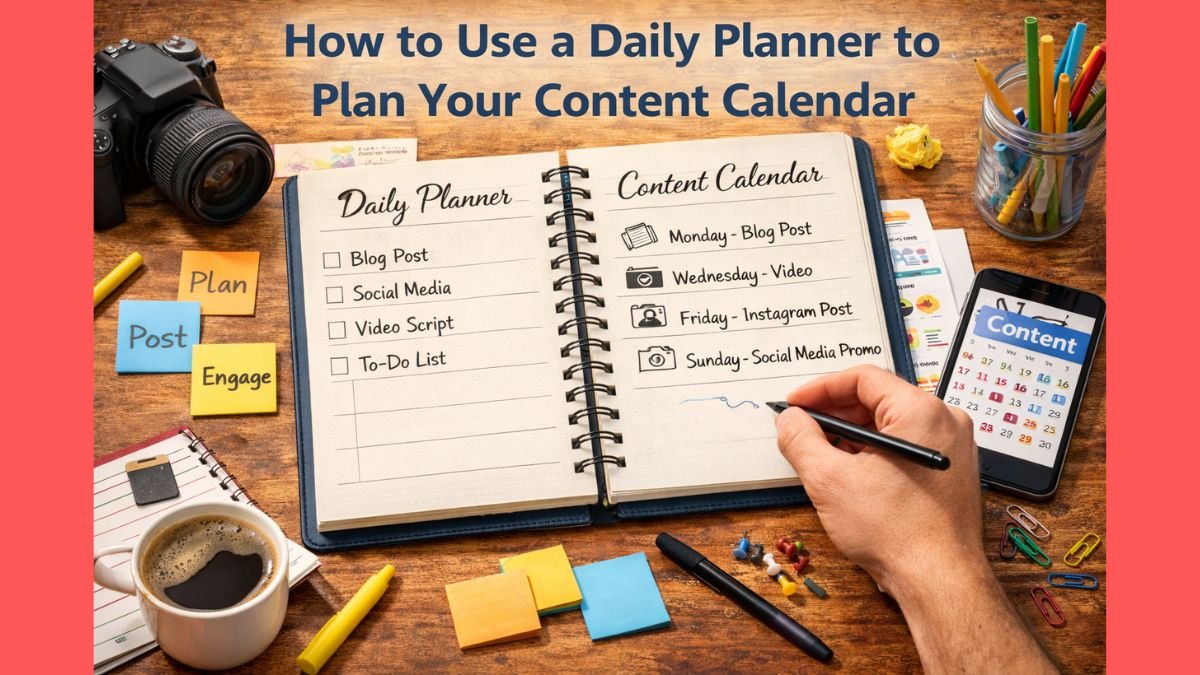
How to Use a Daily Planner to Plan Your Content Calendar
Content creation in 2026 is a marathon disguised as a sprint.
The creators who post consistently, grow audiences, and avoid burnout don’t just “wing it” — they treat content like a production schedule, and the best tool for that is a daily planner.
Here’s a complete, battle-tested system to use your daily planner to build and maintain a sustainable content calendar — whether you’re a solo creator, YouTuber, newsletter writer, podcaster, TikToker, or multi-platform creator.
1. The “Content North Star” Page (Set It Once, Review Monthly)
First page of your content section:
- Main platform(s)
- Content pillars / categories (3–5 max)
This is your filter. Every idea must pass through it.
2. The 90-Day Rolling Content Calendar (Monthly View)
Most creators fail because they plan only 1–2 weeks ahead.
Top creators plan 90 days rolling — always 3 months visible.
In your planner:
Monthly spread (3 pages side-by-side):
- Week 1–4 columns
- Each day: content type + title/idea placeholder
- Color-code by pillar (e.g., blue = education, green = personal story)
- Mark batching days (filming, writing, editing)
Every month, move the calendar forward and fill the new month.
3. Daily Content Block (The Sacred Time)
Pick one fixed daily block for content work — protect it like a client meeting.
Most successful creators use:
- 60–90 min deep creation block (writing/scripting)
- 30–45 min editing/polishing block
- 15–30 min distribution/promotion block
Example daily layout:
CONTENT DAY – Date: _________

Deep Creation Block (protected): 8:00–9:30 AM
→ Today’s piece: ________________________
→ Pillar: ________   → Platform(s): ________
→ Goal word count / length: ____

Editing/Polish Block: 6:00–6:45 PM
→ Tasks: thumbnails, captions, SEO

Distribution Block: 7:00–7:15 PM
→ Post schedule: ________________________
→ Cross-promotion: ______________________
4. The “Idea Parking Lot” + Weekly Refinement
Ideas hit at random — don’t let them derail focus.
Daily planner has two sections:
- Idea Parking Lot (bottom of page): quick capture anytime
- Weekly Refinement (Sunday): move 3–5 ideas to calendar
Rule: Nothing goes on calendar without Sunday approval.
5. Batch Production Days (The Efficiency Hack)
Solo creators burn out trying to create daily.
Batch instead.
Typical winning batch schedule in planner:
- Monday: Brainstorm + outline 4–6 pieces
- Tuesday–Thursday: Deep creation (write/record)
- Friday: Edit + thumbnail
- Saturday: Buffer/buffer rest
- Sunday: Schedule + weekly review
Block these as recurring “Batch Days” — no meetings allowed.
6. The “Content Health Dashboard” (Monthly Check)
Every month end (30 min):
Track in planner:
- Pieces published
- Views/engagement avg
- Revenue from content (if any)
- Top 3 performing pieces (study why)
- Bottom 3 (kill or fix that style)
Adjust next month’s plan based on data.
7. The “Evergreen Refill” Reminder
Evergreen content saves your life during low-energy weeks.
Monthly recurring block:
“Evergreen day: Create/refine 1 timeless piece”
Examples: ultimate guide, resource list, “how I” story
8. The “Rest & Recharge” Block
Creators who post consistently for years all protect rest.
Daily planner must have:
- One full “No Content” day/week
- Daily 30–60 min “Input Only” block (consume, not create)
- “Idea Walk” block (phone off, no notes — just think)
9. Weekly “Content CEO Meeting” (Sunday 20–30 min)
Review:
- What performed? (Double down)
- What flopped? (Kill or pivot)
- Next week’s 3 flagship pieces + first sentence/shot
- Batch days locked
10. Celebrate Output Streaks (Make It Addictive)
Reward the process:
- 7-day streak → favorite coffee
- 30-day streak → new mic/lens/book
Write upcoming rewards in planner so you see them coming.
Ready-to-Use Content Creator Daily Template
CONTENT DAY – Date: _________

Primary Piece Today: ________________________
Pillar: ________   Platform(s): ________

Deep Creation Block (protected): ____ – ____
Goal: ____ words / min

Editing/Polish Block: ____ – ____
Distribution Block: ____ – ____

Idea Parking Lot (capture only)
1. ________________________
2. ________________________

Today’s win: ________________________
Want this as a beautiful digital template with 90-day rolling calendar, batch day protection, content health dashboard, and dark mode? → Daily Planner
Your next viral piece isn’t waiting for inspiration.
It’s waiting for you to protect the time and show up daily.
A daily planner doesn’t kill creativity — it gives it a safe place to land every day.
Start tonight.
Your audience (and your future self) are waiting.
Hi, I’m Sam Thomas. I love writing about productivity and simple ways to stay organized in daily life. Through this blog, I share practical tips, planners, and ideas that have helped me stay on track. My goal is to make planning easy and useful for everyone.